
AlienGreen Next Launcher theme2.0.5 - Google Play
You'll be able to see results in few seconds.
Publisher Description
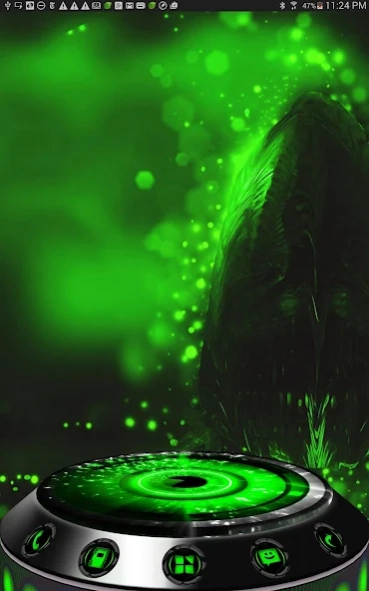
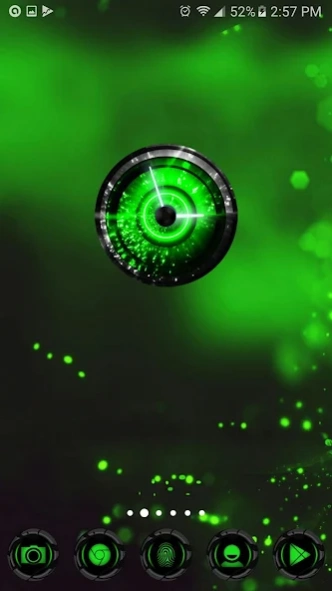
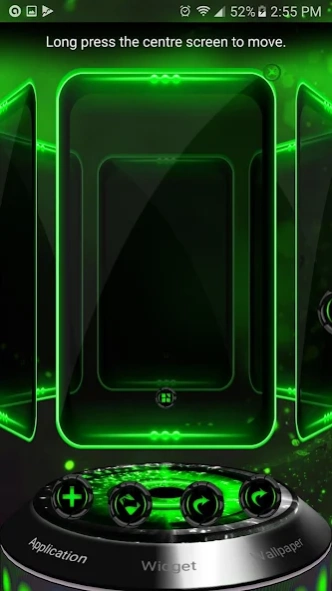
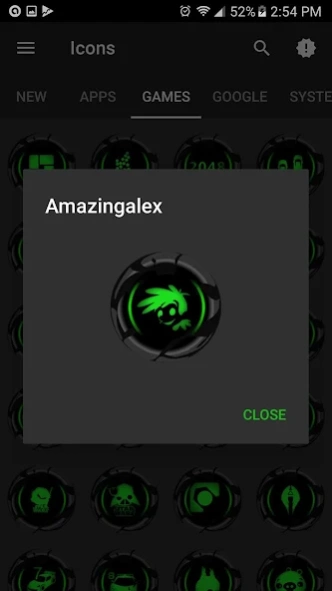
Complete 3D&2D themes for Next launcher. 3200 iconpack supports 24 launchers
- If you are new to theme apps, themes/iconpack apps are not stand alone app. Read the directions for details.
- There are absolutely no ads in my app.
- We respect your privacy and never use/abuse it.Permissions needed are explained in details below.
Features
• 1 icon pack that supports upto 24 launchers.
• 1 Custom complete theme in 3D&2D Mode (for NEXT Launcher) (value $1.99)
• 3200 HD Icons (Tablet Compatible) (value $0.99)
• 400+ custom wallpapers (& cloud based)
• 1 matching clock widget (value $0.99)
• Icons are update regularly, 1-3 weeks.
• Ultra Design for all graphic elements
• Support for dynamic calendars
• Icon Masking, cover, base for un-themed apps
• Material design functional dashboard with previews
• Icon Request, search and preview tool
• Lots of extras alternative to your main icons.
• Work on Nova, Apex, ADW, Action, etc... upto 24 launchers all together.
Permissions Explanation
We respect your privacy, and will absolutely never use your information for any reason.
You can find more info in the app FAQ section.
For the wallpapers feature to work, the following are needed:
- Access network state, wifi state, internet, set wallpaper, set wallpaper hints
For wallpapers/muzei to automatically update:
- receive boot completed, vibrate and wake_lock
For SAVE wallpaper feature, the following are needed:
- Read external storage (SD card), Write external storage
Wallpapers are large files. By keeping them on our server, they will take less storage space on your phone.
Directions:
Theme apps like this are not standalone. You will need a launcher to enjoy. Many launchers are free, except for Next Launcher 3D.
You may use Next launcher free version for it and it's just as impressive.
For 3D: Please make sure that you have purchased and installed the latest version of the Next Launcher 3D.
Installation in 2D normal classical mode
1. Open Next Launcher (free version)
2. Press menu on your desktop
3. Select Theme in Menu
4. Select "Mine"
5. Select theme and Apply
Installation in 3D mode
1. Open Next Launcher 3D
2. Press menu on your desktop
3. Select "Preferences"
4. Switch to "3D mode"
Select Theme in 3D mode
1. Press Menu on your desktop
("Menu" also the 5th button on your dock on your desktop)
2. Select "Theme"
(the button looks like a T-shirt)
3. Select "Mine"
4. Select Theme and Apply
Change wallpapers
:
1. Open my application, Choose Wallpaper
How to open my app (Method 1)
1. Open Google Play app
2. Select "Menu" > "My App"
3. Scroll down until you see my app.
How to open my app (Method 2)
Alternatively, in Next Launcher:
1. Select Menu> Add> Shortcut
2. Scroll down until you see my app.
Troubleshooting
:
1. This trick fixes most of your launcher issue:
- Open Next Launcher
- Open Settings, look for Advanced/back up
- Reset to default
2. Why not all icons are applied?
You can try Mix mode in next launcher. You will love it.
Icons can be manually applied at this time due to Next Launcher limitation.
If you have any questions, please email me: Ten.Designer@gmail.com
SOCIAL
Visit our Google+ page or Facebook page for all of our themes. Join our community for more experience to get the latest themes and news.
• My Google Community: http://goo.gl/9PQYdb
• Google Plus: https://plus.google.com/+MichaelAXoThemes/posts
• Facebook: http://www.facebook.com/xothemes
• Website: http://www.xothemes.com (see screenshots)
• Twitter: http://www.twitter.com/@xo_studio
Sincerely,
Michael A.
THAAUS and XOTHEMES
This is an icon pack and a full Next Launcher Theme
This theme is not affiliated with next launcher theme maker nor zt.art
About AlienGreen Next Launcher theme
The company that develops AlienGreen Next Launcher theme is THAAUS. The latest version released by its developer is 2.0.5.
To install AlienGreen Next Launcher theme on your Android device, just click the green Continue To App button above to start the installation process. The app is listed on our website since 2016-09-04 and was downloaded 0 times. We have already checked if the download link is safe, however for your own protection we recommend that you scan the downloaded app with your antivirus. Your antivirus may detect the AlienGreen Next Launcher theme as malware as malware if the download link to com.dx.nextlauncher.greenalien is broken.
How to install AlienGreen Next Launcher theme on your Android device:
- Click on the Continue To App button on our website. This will redirect you to Google Play.
- Once the AlienGreen Next Launcher theme is shown in the Google Play listing of your Android device, you can start its download and installation. Tap on the Install button located below the search bar and to the right of the app icon.
- A pop-up window with the permissions required by AlienGreen Next Launcher theme will be shown. Click on Accept to continue the process.
- AlienGreen Next Launcher theme will be downloaded onto your device, displaying a progress. Once the download completes, the installation will start and you'll get a notification after the installation is finished.
Program Details
System requirements
Download information
Pricing
Version History
version 2.0.5
posted on 2016-09-04
Major update: See description for details. 3200 HD icons (most are brand new), 400 cloud based wallpapers, clock widget, brand new material dashboard with icon search, preview and request function.,NOTE/REMARKS: there are "Absolutely no ads" in all my paid apps.
Disclaimer
Official Google Play Link
We do not host AlienGreen Next Launcher theme on our servers. We did not scan it for viruses, adware, spyware or other type of malware. This app is hosted by Google and passed their terms and conditions to be listed there. We recommend caution when installing it.
The Google Play link for AlienGreen Next Launcher theme is provided to you by apps112.com without any warranties, representations or guarantees of any kind, so access it at your own risk.
If you have questions regarding this particular app contact the publisher directly. For questions about the functionalities of apps112.com contact us.
